
Labels:
LG,
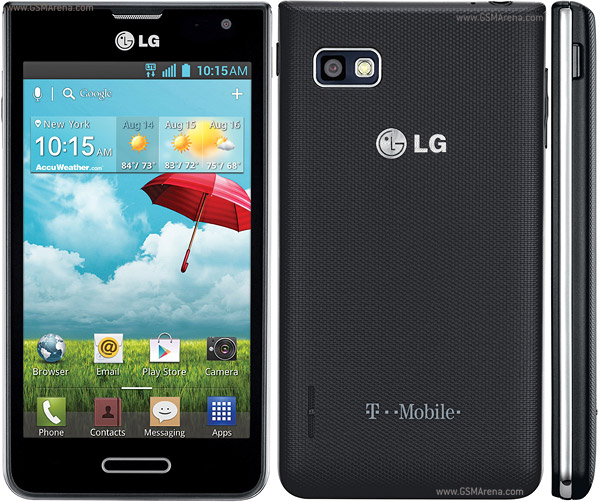
Optimus F3
This method is confirmed working with T-Mobile and MetroPC F3 after "b" and "c" updates.
Android version 4.1.2 Software version P65910b
Android version 4.1.2 Software version MS65910c
Step 1 - setting up the USB drivers
Before you try using this rooting program, you'll need to have the USB drivers installed for your phone.
The easiest way to do this is to install LG USB Driver. LGUnitedMobileDriver_S50MAN310AP22_ML_WHQL_Ver_3.10.1.exe
If you don't have the drivers working, the root installer will hang at "waiting for device..."
Step 2 - Enable USB Debugging
The second thing you must do is to enable USB debugging on your phone. Go to "Settings", "More...", then "Developer Options".
If "Developer Options" doesn't appear, then you'll need to enable it - go to "Settings", "More", "About Phone". Scroll down so the "Build Number" is visible, then tap on that several times until developer mode is enabled.
In Developer Options, make sure "USB Debugging" is checkmarked.
Make sure Media sync (MTP) is checked
That's it for the phone.
Step 3 - Unzip the saferoot.zip
saferoot.zip
Then you need to unpack the attached ZIP file somewhere onto your PC.
You should have the following when done:
- a file called "install.bat"
- a file called "install.sh"
- a folder called "tools"
Step 4 - Root your phone
Double click on the "install.bat" to run the root. It will root and reboot your phone. Once that's done, you're rooted!
Rooting on Linux and MacOS
You'll need to have the Android Debugging Bridge (adb) installed and configured and on your path. You can test that it's ready by opening a shell (Terminal) window and typing "adb shell". If you get a shell prompt on the phone, type "exit" and you're ready to go.
Open a shell window, use "cd" to change to the directory where you unpacked the zip, and type "sh ./install.sh".
Notes
Don't try to download this onto your phone and run it from there. That won't work.
Having troubles getting adb connected? There are several possible causes and solutions.
When adb first connects to your phone, it will display a dialog box reading "Allow USB debugging?"
You may need to turn on your phone to see that. Tap on the "Always allow from this computer" checkbox to enable it, and tap "OK".
There are cases where people can't get the connection working unless they toggle the USB connection type from Camera to Media and back. Perhaps that may help getting it to work.
Device Also available as :-
LS720 - for Sprint ,Virgin Mobile, MetroPCS (LG MS659) and T-Mobile USA
0 comments:
Leave a Reply