
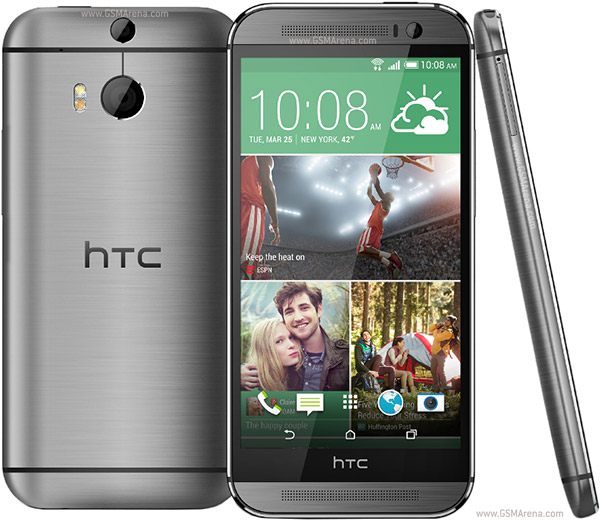
How to Root and S-Off on HTC One M8
To get permanent root, you need to S-Off. So lets start with that first. This process will NOT wipe your device. It also works for OS X users. This guide will work on software version 1.55.605.2 (which as of 04/19/2014 is the latest OTA) and below.
--- S-OFF Instructions ---
First, you'll need to download adb, enable its use and setup debugging.**The filesize seems to vary depending on what OS/browser is used to download it. It should be around 4,519,496 (on disk) in size. If you can't execute firewater, try redownloading it.
- adb is part of the android SDK. You can download it here (OS X users must scroll down and download the OS X version). It does not need to be installed, just unzip it into its own folder. You can also download a zip that contain only adb and fastboot.
- once you have adb, you'll need to download the drive for your M8, which can be had from HTC's driver page: http://www.htc.com/us/software/htc-sync-manager/.
Then install it. It will install the driver necessary for adb to work. After the installation is finished, uninstall HTC Sync immediately (do this regardless of whether or not you need it; you can reinstall it later if you still want it). This will leave the driver package installed, but remove HTC sync.- Now, back to the phone. Disable all security you have on, including PINs, Pattern Locks, passwords, etc. If you have an exchange forced security policy, you will need to disable the account. You can readd it later.
- Enable access to developer options. Jump into the Settings. Then you’re going to scroll down to the bottom and tap on ‘About’, next tap on ‘Software Information’. Now you’ll need to tap on ‘More’, which will give you a new menu. Now just tap on the build number 9 times and you’ll enable Developer options.
- Go into developer options menu and enable USB Debugging.
- Next, go to Security page and enable "Unknown sources".
- Now install weaksauce from here: http://forum.xda-developers.com/show....php?t=2699089
- If you followed the directions correctly, you should have SuperSU installed and root access. (You can use superuser as well).
- Plug in your phone into your computer. Its best to use the factory cable provided with the phone. Use a USB 2.0 type port if possible (USB3.0 ports typically have a blue tab; I have personally used a USB 3.0 Device on Windows 8.1u to perform this without any problems, but your mileage may vary).
- Your phone will ask if you if you trust your computer (RSA). Choose "Always Allow".
- Ensure adb is working by opening a command prompt (terminal on OS X), navigate to the adt-bundle-[XXXXX]/sdk/platform-tools and typing "adb devices" without quotes. Your phone should show up. Ensure the working directory is the directory that adb is in. Otherwise, transferring firewater may fail. On Windows, you can shift-right-click inside the folder adb is in and click open command prompt to open a cmd in that directory.
- Now go download firewater from here: http://firewater-soff.com/instructions/ Make sure to use the weaksauce method (second method). Do NOT use the temproot method. The firewater file should be called "firewater" without any quotes or extensions (like .bin). Ensure your browser did not partially download or corrupt it.** Make sure its in the same folder as adb. Then follow directions on the firewater site. Be aware the yes/no prompt is case sensitive, so make sure to answer it with an uppercase Y as in "Yes" not "yes". During the process, you will need to enable adb shell to get root. Make sure your phone screen is on so you can see the root request. Grant it and the S-Off process will continue. Otherwise, it will hang there and eventually time out. Sometimes, the process will fail and the phone will reboot. This is okay. Just restart the process. It can sometimes take multiple tries.
- When completely successfully, you now have S-OFF. Your phone's bootloader is also unlocked in the process; you do NOT need to perform any additional steps to unlock the bootloader. However, you do not have permanent root. The root that weaksuace provides goes away on reboot and must be reapplied again on startup.
Getting permanent root:
-Flash a custom recovery and flash a zip with su.
-[Optional] Return to stock recovery This option is for people who don't want a custom recovery.
Be aware, once rooted and S-Off'ed, you do NOT need the kernel module that enables system write access*. All system changes will survive hard reboots (adb reboot).Device Also known as HTC M8, All New HTC One
How to (Root and S-Off) on HTC One M8
Subscribe to:
Post Comments (Atom)
0 comments:
Leave a Reply