
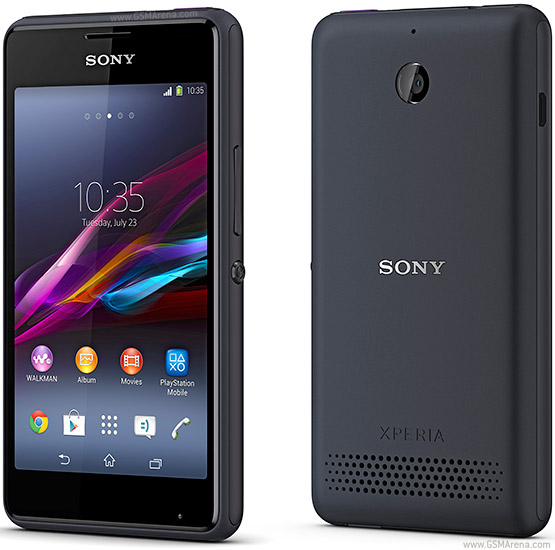
How to Unlock Bootloader on SONY Xperia E1
And select Xperia™ E1.
After that, enter a VALID E-mail address, this is where Sony will send you a link, which will look like this:

Click on "Click here to proceed"
Now something will look like this:

You need to enter your IMEI here, you can find the IMEI on Xperia E1's box, or in the Settings (Settings->About phone->Status)
Or simply typing *#06# on the phone keypad.
THERE'S NO TURNING BACK, YOU WILL VOID YOUR WARRANTY DOING THIS, YOU HAVE BEEN WARNED
After 1-2 minutes a mail will appear in your E-mail, with a verification code.
Yay, we have a code! Now what's next? We need to download Flashtool. (It's roughly 170mb) Are you kidding me?!
Flashtool: (uploaded.to) http://ul.to/q9v71ner
Flashtool: (.torrent) http://www.flashtool.net/torrents/fl...ws.exe.torrent
After It's downloaded, we need to install it. It will take about 4-5 minutes, depending on the PC.
Great! Now we have Flashtool installed. Now we need to unlock the bootloader.
Find and run Flashtool (Flashtool64 If you have a 64-bit OS)

It's great, isn't it?
Connect your phone to the PC, in flashmode mode.
How to do Fastboot mode? Turn off your Phone completely, while the cable is still on.
Wait for the phone, 'till It displays the battery progress.

Now hold the following buttons on the phone: POWER+VOLUME DOWN
Do this until the LED turns GREEN.
Great, the phone is now in Flashmode!
Now, click on the 2nd Icon on Flashtool "BLU"

After that

Paste the unlock code which Sony sent to you, and click on unlock.
You'll get bunch of errors but just ignore that.
Voila! Your phone's bootloader is now unlocked. Which means you can now flash recovery.
If you want to relock the Phone, the steps is the exact same, just click on relock.
How to Unlock Bootloader on SONY Xperia E1
Subscribe to:
Post Comments (Atom)
0 comments:
Leave a Reply