
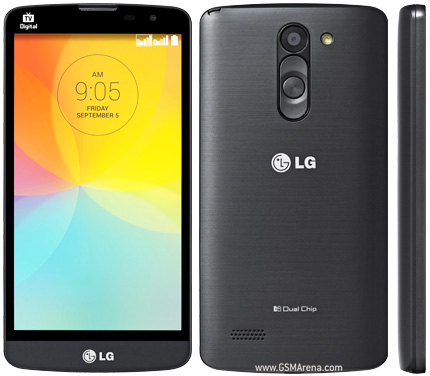
I managed after several hours to find a way to rootar the LG G Prime (D337). Remembering that I AndroidPIT site are not responsible for any damage and / or effect that the process can have on your electronic device. Make the process to release the root for own account. Follow these steps:
1: Download iRoot (* http: //goo.gl/382p3M*) (remove from the link (*)) on the computer and install it. (Depending on the browser, it can be seen as malicious. In that case, just release the download.)
2: After installation, connect your smartphone to your computer with USB Debugging enabled. (To enable the USB Debugging by going to Settings> About phone> Common> Software information> Click again and again in ASSEMBLY NUMBER. Once activated, go to Settings> Developer Options> USB Debugging.)
3: Once the phone is connected, change the USB connection to PC SEND PICTURES (PTP).
4th: Open iRoot and wait for the program to recognize the LG G Prime. After recognition, click Root and wait for the phone to restart.
5: After the restart, several Chinese apps have been installed on your mobile. Uninstall all of them, go to Google Play and install SuperSU and follow the application's commands.
If you can not uninstall a Chinese application by conventional means, simply install and uninstall Titanium Backup for this app.
If the device has not been recognized by iRoot, or root process has given failure, advise install on your computer the PC Suite LG and the LG driver (http: //goo.gl/VmOjOA)
Device Also known as LG L Prime Dual Chip D337 For Brazil
How to root LG L Prime (D337)


Subscribe to:
Post Comments (Atom)
1 comments:
This comment has been removed by the author.
Leave a Reply