
Steps to root the LG G2 Lite D295! This method is for PC / Notebook with Windows.
NOTE: MAKING ROOT, YOU MAY LOSE THE APPLIANCE WARRANTY, BUT YOU WILL BE A SUPER USER AND MAY MAKE MANY CHANGES. DO NOT BLAME FOR ANY DAMAGE THAT CAN HAPPEN IF ERR OR SKIP ANY STEP, THE LIABILITY IS YOUR ALL.
1º- Download this driver to install on your PC / Notebook: Steps to rootear the LG G2 Lite D295! This method is for PC / Notebook with Windows.
NOTE: MAKING ROOT, YOU MAY LOSE THE APPLIANCE WARRANTY, BUT YOU WILL BE A SUPER USER AND MAY MAKE MANY CHANGES. DO NOT BLAME FOR ANY DAMAGE THAT CAN HAPPEN IF ERR OR SKIP ANY STEP, THE LIABILITY IS YOUR ALL.
1º- Download the required files at this link;
https://mega.co.nz/#!DtZlXDYC!lSC_X7WRgRx2XKr7VzqBwOZUdACrMJenXXCMdd_Ddh4
2º- Unpack the file;
In 3º- LG G2 Lite D295, go 'Developer Options "and check the" USB Debugging "option;
3.1 ° - To enable the "Developer Options', just go to 'Settings> General> About phone> Software Information' and press 7x in 'mounting number';
4º- Connect the USB cable to the LG G2 Lite D295 and your Computer / Notebook;
5º- In the notification bar, make sure it appears 'multimedia device (MTP)' and 'USB debugging connected' if yes proceed, if not, if you are just popping 'Load phone', press it and move to the option 'multimedia device';
6º- On the Desktop / Notebook, go to the 'PurpleDrake-Lite_R03' unzipped folder and press 2x on 'purpledrake_windows.bat' to open it;
7. Now Now, just go pressing 'Enter' to continue and perfectly install root. If it takes too long to recognize the LG G2 Lite D295, close and re-open the program;
8º- And after it is installed, go to the Play Store and download the SuperSU. Steps to rootear the LG G2 Lite D295! This method is for PC / Notebook with Windows.
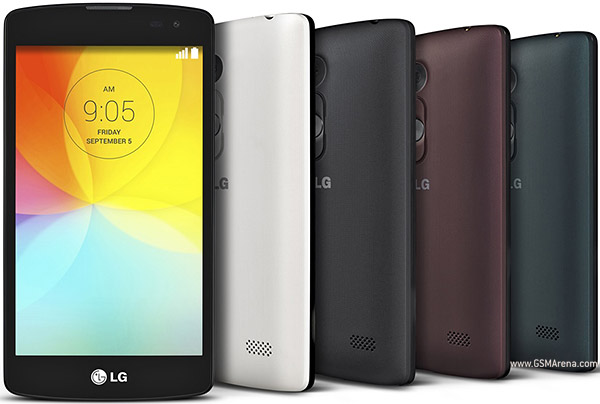
Device Also known as LG G2 Lite D295 For Brazil
How to root LG G2 Lite (D295)
Subscribe to:
Post Comments (Atom)
0 comments:
Leave a Reply