
WARNING:-
its only teseted on DualSim variants A.K.A D295 firmware V10c, and am not responsible to any damages & now your warranty is void.
Needed Tools:
1. LG latest driver (google it)
2. PurpleDrake find on xda
3. Patched aboot (bootloader)
http://www.mediafire.com/download/9q...295Patched.zip
4. Terminal emulator (playstore)
5. TWRP
https://mega.co.nz/#!VkVFRYpb!JdhwyP...dN3P7OHmbtVbxU
# BRAIN&SHARP EYES
Before you start backup your important data.
Install LG driver on pc, make sure that whole driver installed properly. ROOT your device; enabling your usb debug,connect to your pc, extract PurpleDrake zip files you can run that batch.exe,follow its instruction, congrats you're rooted now.
Installing TWRP
Put the patched aboot.bin & TWRP img, those files was ziped, extract them and put that aboot.bin&recovery.img on your external_SD.
Go to terminal emulator and type this command correctly
TWRP INSTALL: dd if=/storage/external_SD/recovery.img of=/dev/block/mmcblk0p17 bs=2048
Congrats you've TWRP installed. Now to enabling you boot into recovery you've to patched the aboot.bin follow this step
first backup stock aboot with
dd if=/dev/block/mmcblk0p6 of=/storage/external_SD/abootstock.bin
and flash patched aboot* dd if=/storage/external_SD/aboot.bin of=/dev/block/mmcblk0p6*
Now you're able to boot into recovery.
Note:
this recovery only accessible via terminal commands &Adb as the buttons combination only work for formating system.
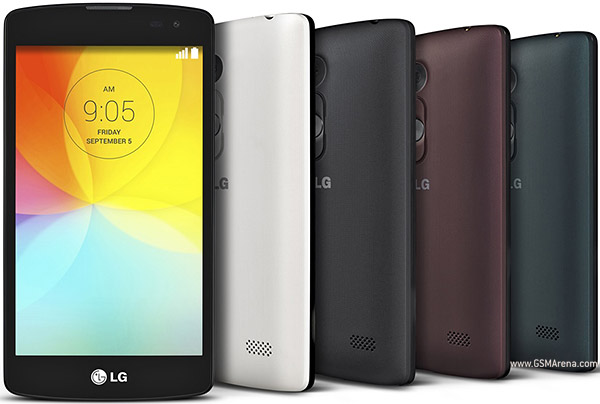
Device Available as:
LG D290N with single SIM
LG D295 with dual SIM
How to root LG L Fino (D290N,D295)
Subscribe to:
Post Comments (Atom)
0 comments:
Leave a Reply