
http://forum.xda-developers.com/lg-l90/development/tool-dp-tools-manage-lg-device-t3084987
Please try and report results! If it fails, proceed with the guide. Thanks!
NOTE:
This guide walks you through getting rooted and on the current stock system. However, since we have a few custom ROMs in a usable state, once you get root, you can switch over to following the instructions for the ROM you wish to install instead. However, I would recommend following the guide completely and making a backup of the stock system before trying out any ROMs.
Stock zv3
Start at step 4 below.
Stock zv4
There is a new root method, confirmed to work on zv5. Follow instructions here.
Then proceed to step 5 below.
If it does not work, follow the full guide.
Stock zv5
There is a new root method, confirmed to work on zv5. Follow instructions here.
If it does not work, follow the full guide below.
NOTE:
When I used the new method for zv4 and zv5, it did not show the script to install SuperSU as it does in the video. However, when I rebooted the phone (hold power for 5+ sec rather than pull the battery), SuperSU was installed and I had root.
Several of the files have an MD5 listed below them. You can use this to verify that the file downloaded correctly. Install this hash checker and compare the MD5 of your file to the one listed. (Android MD5 Checker)
Step 1 - Gather materials for zv3 downgrade WARNING: You will lose data in the downgrade process. Prepare your phone accordingly.
What you will need: zv3 stock tot file (Mirror) - DL to computer
MD5 = 0D7AAAFB6742CEAB7BCAEECBAE3C1F39 LG Flash Tool 1.8, Megalock, and LS740 DLL - DL to computer
MD5= C1825BA208611B23B9B0D4aBDD0C5731 LG Universal Drivers v3.13 - DL to computer
MD5 = 5B42B87660CC30168DA629BFD75A105D
Step 2 - Setup your computer
Uninstall any and all phone related drivers and software currently on your computer from any phone you've had. You can reinstall them once the downgrade is complete if you still need them.
Reboot the computer.
Install the driver package.
Reboot the computer.
Install the LG Flash Tool to the root of your drive.
Place the DLLs (megalock and ls740) and tot file in the folder with the flash tool.
With the phone off, and USB cable plugged into your computer, hold Vol + and plug the cable into the phone. (Some drivers may install, allow this to happen.)
Continue holding Vol + until download mode loads. See screenshot.

In Device Manager on your computer, find LGE AndroidNet USB Serial Port (under Ports) and set it to port 41 (COM41).
Leave your phone connected and set it aside for now.
Step 3 - Flashing zv3
Open the LG Flash Tool. On the config window, make it look like the picture below
(note the DLL, S/W, and Action Mode) and hit OK:

On the main window, hit the yellow arrow at the far left.
Once it finishes, unplug the cable from the computer, and plug it back in to start the flashing process.
When the phone reboots, it will boot into the MiniOS setup screen.
(You can now disconnect the phone and close the Flash Tool.
Don't worry about any fail messages from the flash tool.)
On the MiniOS screen, hold power and tap Normal Boot.
Rebooting will take several minutes, DON'T PANIC!

If you don't have service, just use ##72786# dialer code to reactivate.
Step 4 - Rooting zv3 and installing TWRP
Download these: Towelroot - DL to phone Flashify SuperSU - DL to phone (extSD) TWRP (Mirror) - DL to phone (extSD)
MD5= E8B53F5E82A969006255FDA04B838872
Install and run Towelroot.
Install and use Flashify to install the TWRP image as Recovery Image.
Boot into recovery and use TWRP to install SuperSU.
For safety's sake, you may want to make a backup while you're here.
Info break - Dalvik, ART, Odex, Deodex
Here's a couple articles to help you decide if you want Dalvik or ART, or Odex or Deodex. Odex vs Deodex Dalvik vs ART
It has been reported that ART does not work with the deodexed zv5 ROM.
Step 5 - Upgrading to zv5 Download the ROM - DL to phone (extSD)
Odexed Rom MD5: f742b326f95d082709c8d57c33b89566
Deodexed Rom MD5: c05f67f6b5bb9aa4060ad26c5f3357ac Heavily Debloated ROM - DL to phone (extSD)
MD5: 2eb0d55221dbb350a0951c7ea83d683c Download radio - DL to phone (extSD)
radio MD5 = F3F42DD1DF5C04F77CFD914CF042A01E
While you can flash without wiping, a clean install is advised, especially with the debloated ROM. You may have to do a factory reset after otherwise.
Boot into recovery and install the ROM and radio.
If you don't have service, just use ##72786# dialer code to reactivate.
This would be another good time to make a backup in TWRP.
(You can delete the one you made earlier)
Step 6 - Factory Reset
Skipping from zv3 to zv5 triggers some odd behavior/minor breakage. It is advised that you do a factory reset after installing zv5 if you skipped over zv4. If you just updated from zv4, this may not be necessary. Be aware that this will wipe all user data on the phone.
Step 7 - Restore Carrier Identification
This may or may not apply to you, but many people lose their carrier identification during the downgrade process. The phone still seems to function fine, but displays 'LG' as the carrier everywhere, and it is possible that this could interfere with PRL/Profile updating. To restore your carrier identification, you just need to flash an APN fix in recovery after booting the phone. Boost Fix Virgin Fix
Step 8 - Debloating
I'm leaving this up to you. Here is a list of safe to remove/freeze apps.
Just be careful and make backups of anything you aren't absolutely sure to want to be rid of.
Disclaimer
As always, the responsibility for the results of this information is at your own risk.
We'll happily help you fix any problems, just don't blame us for breaking your phone.
Available as:
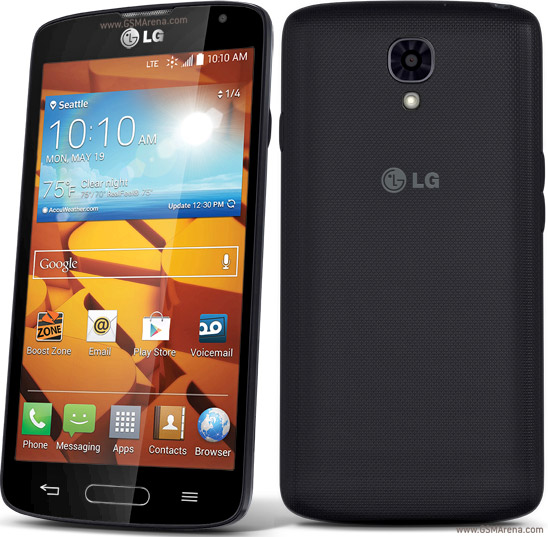
LG Volt LS740, LG Volt 4G LTE for Virgin Mobile
LG LS740 Boost Mobile for Boost Mobile
0 comments:
Leave a Reply