
LG Optimus L80 Root
• Launch the default Android Browser and go to http://towelroot.com
• You will see a Lambda Symbol (looks like the letter A)
• Click on the orange Lambda Symbol and download the APK File (the file can later be found under the „Downloads“ App which you will find inside your apps.
• To install the APK you will need to acceppt unkown sources for APKs.. This can be done through „Unknown Sources“ under Menu -> Settings -> Applications
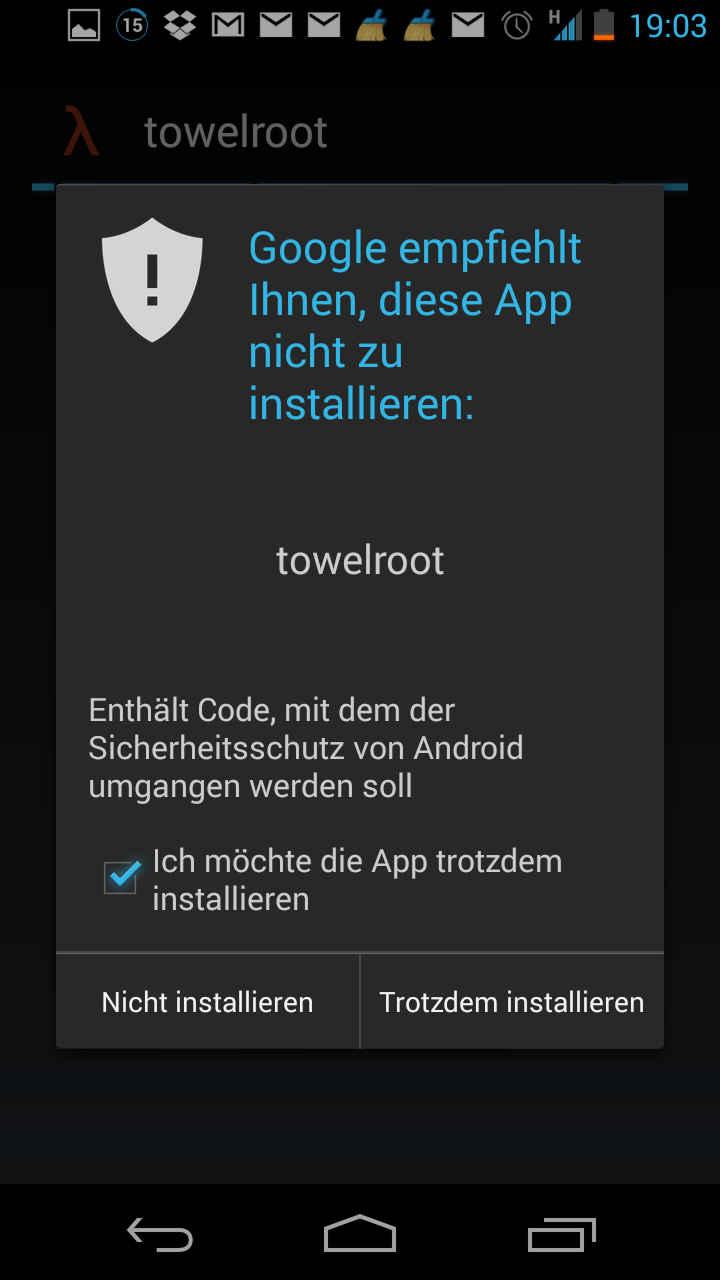
• Now you will need to install the APK onto your LG Optimus L80. To do that simply click on the apk and acceppt the rights it needs to work. Shortly after the installation starts Android will inform you that the App should not be installed because it wasnt downloded from the PlayStore, you can skip this message by activating the checkbox at the bottom of the text and click install.
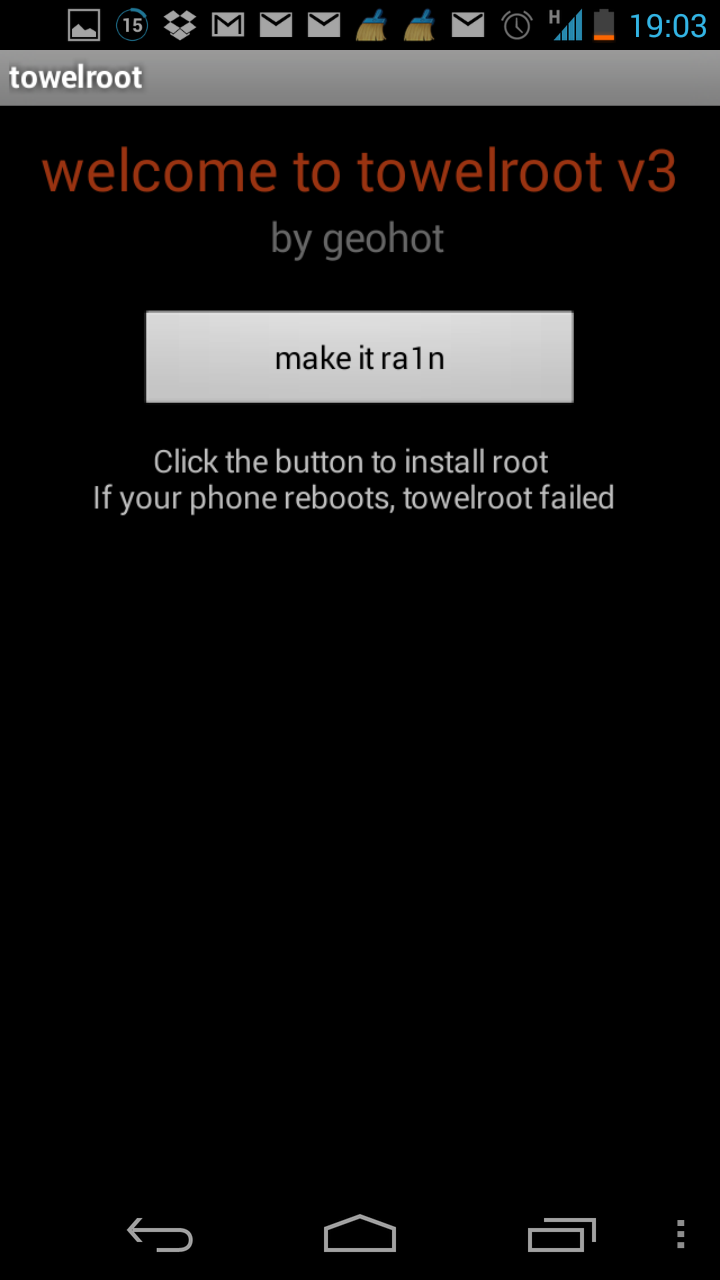
• Launch TowelRoot and click on the „make it ra1n“ button
• If your device is supported it should now reboot. After Android comes back on you should have root access to your LG Optimus L80, If your LG Optimus L80 is not supported you will get a little error message that tells you that your device is not currently supoorted. If this happens you will need to wait for a solution that fits your device.
• Grab SuperSU from the Google PlayStore to manage the root access o your LG Optimus L80
How to Root LG Optimus L80 #Towel Root
Subscribe to:
Post Comments (Atom)
0 comments:
Leave a Reply