
Labels:
LG,
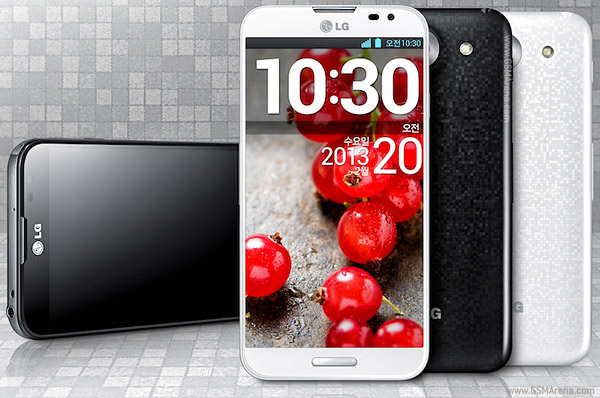
Optimus G Pro
This is a great root method with easy to follow instructions that anyone can follow and without all the extra jibber jabber most do not understand.
**This Root Method has been confirmed working on the models listed below**
E980 AT&T (Does not work on 10P 01/08/2014 update)
E985 Euro/SFR
E986 Euro/SFR
E988 HK
E988 GCC
E988 India
E988 Starhub Singapore
E989 UK
E989 Israel
1st: Go to http://www.lg.com/us/support-mobile/lg-E980 and download the drivers, let it install all the way before going to the next step.
2nd: Go to 7-Zip and download the program, it is the best one imo.
3rd: Download the attached root file below
4th: Un-Zip the Root file using 7-Zip to a known location
5th: Make sure in Developer Options you enable USB Debugging in your phones settings
6th: Make sure your phone is in Charge Only mode
7th: Plug your phone into your computer and give it about 3 minutes before going to the next step to ensure your computer can see your device
8th: Open the file and run the CurrentRoot.bat
9th: When it prompts you to go to MTP mode, do so in the same place Charge Only was found. LET IT SIT, 3 MINUTES MINIMUM!!!!! This will insure that your computer has seen your phone as a MTP device, if you rush it, the root will fail!
10th: Now hit any key to continue
11th: Once it is completed and your phone reboots, safely remove hardware to remove your phone.
You can download many free root checker apps from the Play Store or use SuperUser that is included with the root.
If you need the original AT&T TOT file with the update attached please visit http://forum.xda-developers.com/show...php?p=43541278
All done and rooted, want a new recovery and looking for an easy 5 minute CWM or TWRP Recovery
http://forum.xda-developers.com/show...php?p=43789352
If you took the AT&T 10P update and cannot root, go to HERE
Feel free to donate to any DEV that is linked to. I do not want, need or deserve any donation for their hard work.
Enjoy!
Original location of Root: http://forum.xda-developers.com/show...php?p=36593411
I am not responsible for your phone, the above process worked flawlessly on my LG Optimus G Pro US Version E980
Device Also Available as:
LG Optimus G Pro F240
LG Optimus G Pro L-04E
LG Optimus G Pro E980
LG Optimus G Pro E986 for Europe
0 comments:
Leave a Reply