
You have to unlock the bootloader on your phone to first install CWM, and then we can install the ROM (For those who do not know, unlocking the bootloader voids the warranty, warned quedais, neither I nor the author of the rom we responsible for what judge with your phone.
After reading this, we get to the point lol
Step 1 Install LG PC Suite to handle all drivers, or drivers LG this is user selectable.
Quote:
LG PC Suite: http://tool.xcdn.gdms.lge.com/dn/dow...=PW01720120110
Drivers LG: http://4pda.ru/pages/go/?u=https%3A%...F4zwEHxEnWvrZT
We downloaded it, installed it and so on ...
Step 2, rooting your phone, a classic.Step 3 BOOTLOADER unlock the phone.If you're someone like me, who supports not use applications LG, for balls, you've tried to remove with ROOT, I guess you'll have and that access so we skipped this step, if you have not been so avispilla like me, quiet. I will help you to root your phone
Gather your L70, open the browser and enter the web:
https://towelroot.com
We downloaded and installed the tr.apk if asked to desmarquemos one box settings, we do, it is a safety lock Apps outside Android Play Store which carries.
Once done, we open the application and click on "make it ra1n" and the phone will do everything for us, if not installed "SuperSU" or "Superuser" Come to Play Store and downloaded SuperSU or Superuser, it is optional, to everyone's taste ....
If this method will not work, another that a colleague says that works with LG factory dated from June
Having installed ADB android SDK http://forum.xda-developers.com/show....php?t=2588979 Having the "Purple Drake" program http://downloads.codefi.re/thecubed/...ite_R03.tar.gz Losing the playstore "Root checker" Losing the playstore "SuperSU" The first thing to do is enable the USB debugging mode, This is done by going to the menu and pressing information 10 times faster on "Build Number". Now in the settings menu we "development options" appears, enter and you enable the USB debugging. We connect the phone in "USB Debug mode", making sure that the USB connection type is "Software Lg" (this is Czech in Settings / General / PC Connection) And we extract the program Double click on "purpledrake_windows" to run the "Purple Drake" program will give it a "ENTER" and stop working, you'll see that on your screen cell you ask permission, because a team is getting your system, just give him accept. The computer program to remain in waiting for device We "ENTER" and see that and load our model of LG and version of the software we have, we press ENTER to continue. Cell mode restarts machine ADB commands, remained a picture as two wires and a telephone; "Do not panic", try not to move the USB cable for any reason, the program is working. Applying appear as permaroot and say that we give "ENTER" pressed again "ENTER" because it is the last process in the program where already being implemented by the root. The phone will restart and voila, you are already Root. We click on root Checker to test, you say congratulations message. Screenshot_2014-10-30-04-23-41 [1] SuperSU and open the binary update, reboot the phone once more and ready. IMPORTANT: Just in case when executing the "purpledrake_windows" script we check mistake, we will have to point 3 manually. Press Windows Key + R on your desktop Type the following: cmd * You can change the way prompt enter depending on your operating system, I did it with windows 7. We connect the phone in USB debugging mode type the following: adb And wait for it to load. Then, in the screen prompt copy the following syntax:
adb reboot -bnr_recovery The cell is connected ADB mode command, type the following:
adb push ./assets/start_restore / temp / start_restore It is noteworthy that must be to redirect the folder you unzip, in my case folder leave it to local disk "C" and the syntax is as follows: adb push. C: \ PurpleDrake-Lite / assets / start_restore / temp / start_restore
adb push ./assets/permaroot.bin / temp / start_restore C:. \ PurpleDrake-Lite / assets / permaroot.bin / temp / start_restore Again I mention my syntax so yours will stay change depending where they kept
adb reboot Finally we copy the syntax for the cell to restart and return to normal. And we continue with point 6.Step 4, install CWM RecoveryThere is another method, but insists the author of the post (or so I've managed to translate) that this method is more compatible with all terminals of our model.
We take the phone and activate the USB debugging, go to the menu and clicking 10 times information quickly on "Build number" Now in the settings menu we "development options" appears, enter and you enable the USB debugging.
Connect the phone to the USB computer you install LG PC Suite or Drivers
We download this compressed file: http://dh.st/WqR Unzip it in a folder on your desktop, open it, we press the Shift key and right-click on any blank spot in the folder, click on "Open Command Window Here"
We are now in a command window ADB, first and foremost, do a backup of the partition LAF our LG. HIGHLY RECOMMENDED do so, I had to send mine to guarantee because I did not and I regret it.
Copier and paste:
adb shell his dd if = / dev / block / platform / msm_sdcc.1 / by-name / laf of = / sdcard / laf.img.
And then we put this.
dd if = / dev / zero of = / dev / block / platform / msm_sdcc.1 / by-name / laf adb reboot
STILL NOT CLOSE THE WINDOW COMMAND
For some reason, we can not enter fastboot mode via "reboot to bootloader" as in most phones, so we will do a combo of keys
Turn off your phone Disconnect the USB Press Volume UP Connect the USB
Voila! We are now in Fastboot mode
Now, what we were, our Bootloader unlock and fiddle with your terminal as it should be
The command window, yes, that we had not closed yet, the open again and now put the following:
fastboot oem unlock
Now we check that the bootloader is unlocked with the following command
fastboot oem device-info
We should see this:
... Device tampered INFO: false Device unlocked INFO: true Charger INFO screen enabled: false OKAY
We put the following command and the phone should turn properly
fastboot reboot
leave the command window open and continueJust in case, we now have:Download recovery from here and unzip it in the folder where we open the command window ADB
CWM L70 (9.17 МB)
We decompress in a folder and return to the same, shift + right click and open command window.
adb push aboot.bin /sdcard/aboot.bin adb push stockrecoverymod.img /sdcard/stockrecoverymod.img adb shell his dd if = / dev / block / mmcblk0p6 of = / sdcard / abootorg.bin dd if = / dev / block / mmcblk0p17 of = / sdcard / recoveryorg.img dd if = / sdcard / aboot.bin of = / dev / block / mmcblk0p6 dd if = / sdcard / stockrecoverymod.img of = / dev / block / mmcblk0p17 reboot recovery
If no faults, the phone will restart in Recovery mode. NOW IS
PS: In this phone there is no command key to boot into recovery, but the author of the port has provided us a "shortcut" by replacing the hard reset by the recovery
(Vol UP and On, when you leave the LG logo release the button and turn one seconds we press, a menu that will tell us that if we want to restore the phone, we give YES twice and go into recovery
Superuser
BACKUP Partition LAF (Download mode, useful if the phone is brickea)
Unlocked Bootloader
CWM Recovery
Now, ROM


Available as
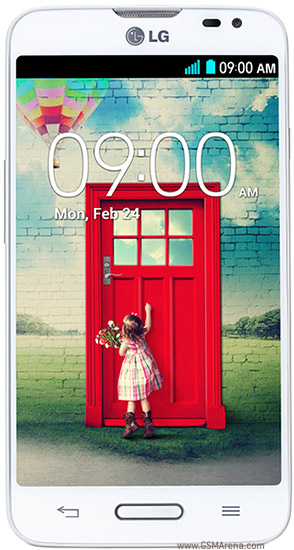
LG L70 D320 with no NFC support
LG L70 D320F8 with 8 MP camera
LG L70 D320 with no NFC support
LG L70 D320F8 with 8 MP camera
0 comments:
Leave a Reply