
This guide worked for me. I am using v20i stock rom without any modification. I saw this on web and i want to share it. If you use this guide, it is on your own risk (such as mine)
We will have a rooted lolipop rom without downgrading to any kitkat rom. We dont need to flash bumped twrp for this.
This guide describes for windows users but same method can work with linux. Linux users know how
1- Download this file.
2- Copy zip file to your C:\ hard drive and extract there. It should be like this: C:\g3-root
3- Enter your phone's settings and activate the developer settings (with clicking build number 5-6 times)
4- Enter developer settings and activate usb debbuging
5- Enter the file g3-root and press and hold the shift button on your keyboard and right click with mouse. Select "open command window" or something like this (i am not using english windows)...
6- Connect the phone to your pc with usb cable.
7- Dont let the screen off. If your phone asks you about usb debbuging (trusting the computer), select "remember this" and click "yes"
8- now test the connection... write this into the command window
if you can see your device's serial number, you can start now. If not, check the adb and windows drivers and try it again.adb devices
9- push the files which are needed for root with this commands
andadb push g2_root.sh /data/local/tmp/
andadb push busybox /data/local/tmp/
10- Now we will enter download mode of our phone. For this, discoonnect the usb cable, shut down the phone, press and hold the volume up button and connect the phone.adb push UPDATE-SuperSU-v2.46.zip /data/local/tmp/
You will see "downloading" on your screen.
11- Now return the command window. Look your computer and verify which port of windows that the phone is connected . Mine is COM6 and i will go on with this way. You must change this with yours(COM1 COM2 COM3 COM4.... etc) . Enter this command (for COM6)
12- Next send this command:Send_Command.exe \\.\COM6
if you see the folders, everything is fine and you can continue.ls
13- finally we send last command and gonna be rooted
You can see these lines if rooting is successfullsh /data/local/tmp/g2_root.sh dummy 1 /data/local/tmp/UPDATE-SuperSU-v2.46.zip /data/local/tmp/busybox
if not, read and try again.ui_print - Disabling OTA survival
ui_print - Removing old files
ui_print - Placing files
ui_print - Post-installation script
ui_print - Unmounting /system and /data
ui_print - Done !
Now reboot your phone and you can see the supersu app in your application drawer
Good Luck!
I am not responsible of any damage to your phone.
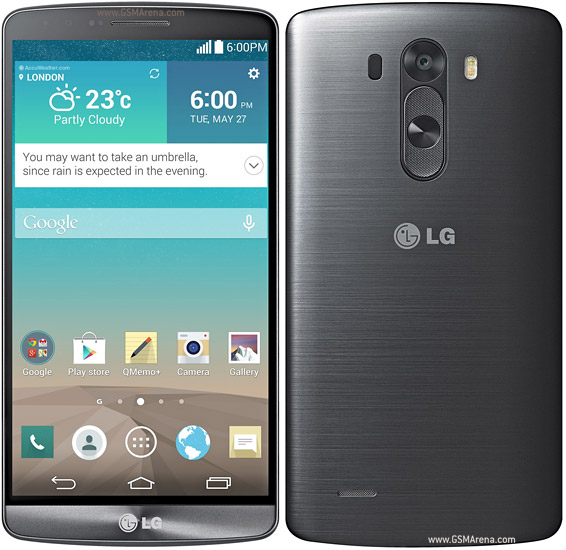
Device Also Available as:
LG G3 D855 for Europe
LG G3 D850 for AT&T
LG G3 D851 for T-Mobile
LG G3 D852 for Canada
How To Root LG G3 (D855,D850,D851,D852)
Subscribe to:
Post Comments (Atom)
0 comments:
Leave a Reply