
CWM-Based Recovery 6.0.4.6 Touch Recovery for Xperia Z2 Tablet!
Supports both the LTE+WiFi & WiFi Only tablet variants!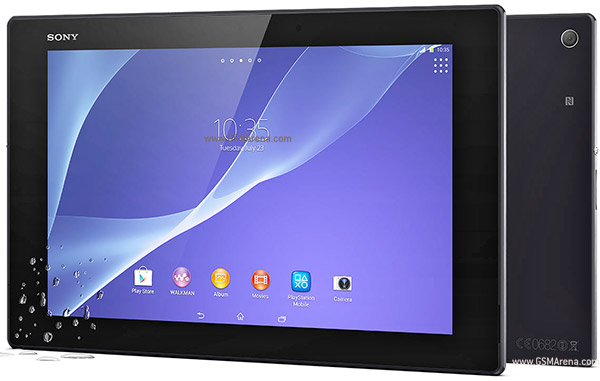
[ Requirements ]
[list][*]Bootloader unlocked[*]working fastboot[*]SGP51x WIFI ONLY! << DIFFERENT KERNELS[*]SGP5x1 WIFI+LTE ONLY! << DIFFERENT KERNELS[*]STOCK ROM FW:
- LTE + WiFi
- 4.4.2
- 17.1.1.A.0.402 - v03
- 17.1.A.2.55 - v02
- WiFi Only
or ROMS BASED ON THAT FIRMWARE
- 4.4.2
- 17.1.1.A.0.402 - v03
- 17.1.A.2.36 - v01
[ features ]
- standard CWM recovery 6.0.4.6 - TOUCH RECOVERY!
- kernel is insecure (ro.secure=0)
- adb debugging is enabled by default in OS
- TIP: if u are experiencing very slow backup in CWM do this
[ WARNING ]
for flashing this kernel you WILL NEED TO UNLOCK BOOTLOADER! Check this thread for more info (same steps as Xperia Z1 are used for Xperia Z2)
UNLOCKING BOOTLOADER WITHOUT TA BACKUP WILL LEAD TO IRREVERSIBLE LOSS OF DRM KEYS!!!
AND YES CAMERA STILL WORKS AFTER UNLOCKING BOOTLOADER!!!
[ how to flash this kernel ] (via fastboot)
- download the kernel image
- save the boot.img to the folder containing fastboot binary
- flash the boot.img using fastboot:
Code:fastboot flash boot boot.img- reboot from fastboot
Code:fastboot reboot- the device should now start booting
- enjoy!
Rooting Instructions
[ how to root ]
- once you have flashed the kernel from the 1st post
- download the latest SuperSU update.zip from: http://download.chainfire.eu/supersu
- save it on sdcard of device
- reboot into recovery
- flash the supersu update.zip
- reboot from recovery into OS
- you should now get proper root access
[ how to enter recovery ]
when you see the Sony logo and the LED light turns pink/amber/orange keep tapping/pressing VOLUME UP key
Downloads:
WIFI+LTE: SGP5x1 >>> Advance Stock Kernel with Recovery v03 (FW:17.1.1.A.0.402}
WIFI ONLY: SGP51x >>> Advance Stock Kernel with Recovery v03 (FW:17.1.1.A.0.402}
Sony Xperia Z2 Tablet (LTE-WiFi) ROOT and Install CWM
Subscribe to:
Post Comments (Atom)
0 comments:
Leave a Reply