
Labels:
Sony,
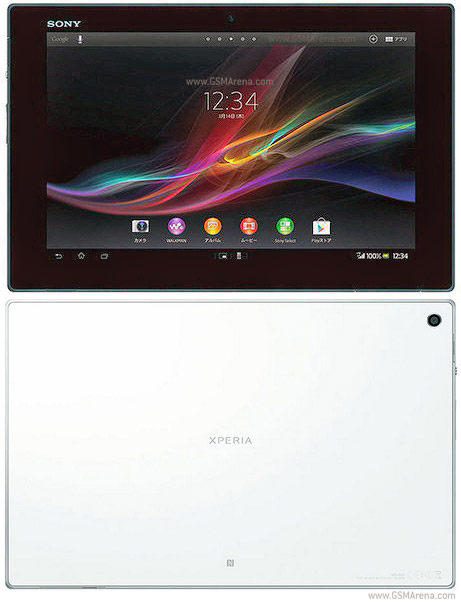
Xperia Tablet Z LTE
Requirements:
Flashtool 0.9.15.0 Rooted SGP311 (on any other previous Android version) with custom recovery installed.
If you do not meet these conditions, for example, if you are on an unrooted 4.3 system, here is a guide to get you on a rooted 4.1.2 with recovery: http://forum.xda-developers.com/show...8&postcount=14
This works on locked or unlocked bootloaders. This also works on any customization. Mine was US Generic before applying this. I used the UK customization because at the time of this posting that is the only English customization available. I can post the US root files later if need be.
The procedure should work with any pre-rooted Android version but I started with 10.1.C.0.370 (4.1.2) which was rooted with DooMLoRD_Easy-Rooting-Toolkit_v17, patched with remountrebootfix, and equipped with XZDualRecovery.
Limitations:
There is a small chance that the process would delete the files on your internal SDcard so back them up. Also, you will have to reinstall all your apps, as they get erased too.
Note that Sony has admitted that this release has a battery drain problem and has issued a workaround that involves disabling Google services: http://talk.sonymobile.com/t5/Xperia.../708273#M42303
Download link:
Mega https://mega.co.nz/#F!oxdFQLSa!2su-BTlYfaANi26VuV7o4w
You only need the zip and ftf files. The txt file is just the checksum if you want to verify that your download is error-free. I strongly recommend that you do the checksum before flashing.
Instructions:
1- Backup before you start messing with your tablet!
2- Put system.flashable.zip in /sdcard of your tablet.
3- Keep SGP311_10.5.A.0.230_R1D_VMo_UK_IE_NoSystem.ftf on your PC.
4- Disconnect any USB cable that may be attached to your tablet.
5- Reboot to recovery. Preferably to TWRP, but you can make CWM work too.
6- Do not wipe anything.
7- Once in recovery, flash system.flashable.zip.
8- It is important to NOT REBOOT the tablet after this step.
9- Find and use the Power Off option in the recovery and turn your tablet off. In CWM based PhilZ Touch it is under "Power Options" -> "Power Off". In TWRP it is under "Reboot" -> "Power Off". If you see your tablet rebooting, force it to turn off by pushing the power and volume up keys simultaneously (or however else you can!)
10- Open Flashtool 0.9.15.0 and click on the flash icon. Choose flash mode.
11- Navigate to where you have saved SGP311_10.5.A.0.230_R1D_VMo_UK_IE_NoSystem.ftf and flash this ftf with your tablet in flash mode. To put your tablet in flash mode, hold the volume down button when it is off and connect with the USB cable to the PC.
12- Reboot and enjoy!
Tags :-
Sony Xperia Tablet Z LTE SO-03E for Japan
Sony Xperia Tablet Z LTE SGP321 for Europe
Tablet with no support for GSM voice communication
0 comments:
Leave a Reply