
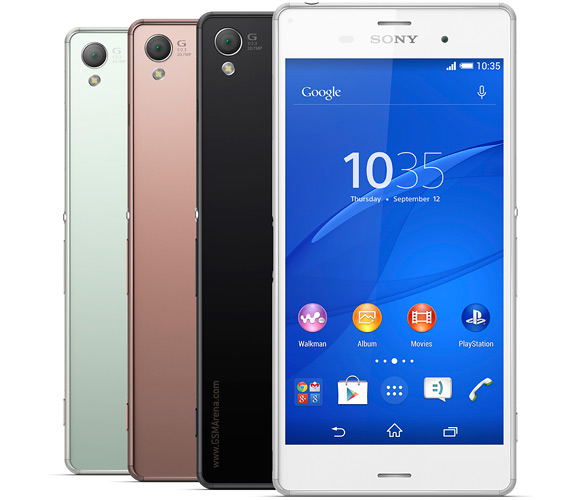
How to root Xperia Z3 with Locked Bootloader
- Move all your important data from Internal storage to a computer and remove SDcard (make this in case you loose something)
- You need to have firmware version 23.0.A.2.93 (for D6603/D6653) or 23.0.F.1.74 (for D6633) installed on your phone. If not, please download ftf file and flash it with Flashtool (newer firmware versions will fail root:
D6603_23.0.A.2.93 D6653_23.0.A.2.93 D6633_23.0.F.1.74
- Start the phone, don't make any initial setup. Skip it and go directly to Settings > About Phone. Tap 7 times on Buld number and a Developer options will be activated.
- Go to Settings > Developer options and tick USB debugging an Allow mock locations.
- Go to Settings > Security and tick Unknown sources, untick Verify apps.
- Enter your phone in Flight mode
- Download giefroot rooting tool v3 and extract the files on your PC (Windows only). [original thread: http://forum.xda-developers.com/cros...-4322-t3011598]
- Connect your phone to the computer.
- Start install.bat
- If until that moment you have never connected you phone to this PC via adb you will get a popup message on you phone to authorize this computer. Do it.
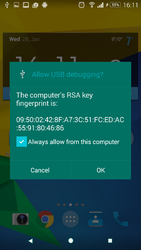
- The procedure will start. After a while your phone should restart by itself.
- After the phone boots up wait until a popup from SuperSu appears asking for adb shell root rights. Do it.
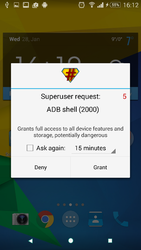
- When you give the permission you have to see on the computer the sign "Device rooted".
- If it says Device not rooted repeat all the steps running install.bat again.
0 comments:
Leave a Reply