
Root LG G3 Guidelines F400, D855, F410S, G3 Cat6 ...
LG G3 root steps:
1 / Download the driver LG and installed for Windows.
2 / Activate the Options of the developer (Developer Mode) by going to Settings -> General -> About phone -> Software Information -> hit 8 times on the "Create some" - English is the Build number.
3 / Next on "The developer's Options" and Enable mode "USB Debugging" (USB Debugging)
4. / Download the following zip file, unzip it on Windows (save where also). Link zip: PurpleDrake-Lite_R03 - should consult the original XDA thread has been updated to the latest version. 5. / Plug LG G3 to the computer and run purpledrake_windows.bat file. Table cmd appears, press any key to continue. (Here, I use OS X, but just like on Windows)
6 / Note that this time G3 will appear on the notice board should require authentication. Click OK to continue![[IMG]](http://photo.tinhte.vn/store/2014/08/2558316_Tinhte_lgg3-3.png)
7. / Returning to the computer, at which point the machine will automatically stop operation and notification as shown below. You only need to press Enter a few times is done, no need to do anything more at all.
8 / After the machine has automatically restart, you have root. In case do not find it on the machine SuperSU in Google Play and installed on. I wish you success!
NOTE - Remember to backup partition immediately after root EFS. Use the following command in cmd:
Code:Backup: adb shell su dd if = / dev / block / platform / msm_sdcc.1 / by-name / modemst1 of = / sdcard / modemst1.img dd if = / dev / block / platform / msm_sdcc.1 / by-name / modemst2 of = / sdcard / modemst2.img Restore: adb shell su dd if = / sdcard / modemst1.img of = / dev / block / platform / msm_sdcc.1 / by-name / modemst1 dd if = / sdcard / modemst2.img of = / dev / block / platform / msm_sdcc.1 / by-name / modemst2
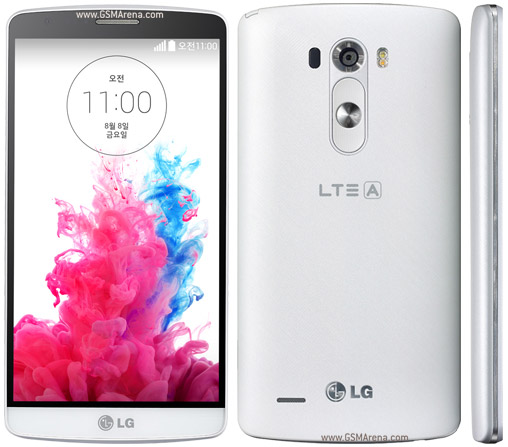
In Korea This Device Also known as LG G3 A F410S
How to root LG G3 A (F400, D855, F410S, G3 Cat6...)
![[IMG]](http://photo.tinhte.vn/store/2014/08/2558314_Tinhte_lgg3-1.png)
![[IMG]](http://photo.tinhte.vn/store/2014/08/2558315_Tinhte_lgg3-2.png)
![[IMG]](http://photo.tinhte.vn/store/2014/08/2558317_Tinhte_lgg3-4.png)
Subscribe to:
Post Comments (Atom)
0 comments:
Leave a Reply